Frunk.tv Premium: how to buy and activate it, step by step
Premium keeps your IPTV lists, favorites and where you are in each podcast in an encrypted copy, and brings them to the car, your phone, your computer and your TV. It costs 600 Telegram Stars, a single payment, for one car and up to 5 devices. You don't need a car.
Free and Premium
Frunk.tv is free, with no ads and no registration, and what is already free will stay free. Premium is a one-time payment that adds your encrypted backup, your other screens, and extras for the car and for the Android app.
| Free | Premium | |
|---|---|---|
| TV, radio, podcasts, audiobooks, news, and electricity prices | Yes | Yes |
| Your IPTV playlists, with what's on now and next | Yes | Yes |
| Games in the car | Yes | Yes |
| Carretera: map, routes with stops, voice, and Send to car | Yes | Yes |
| The Android app for TV, phone, and tablet | Yes | Yes |
| No ads and no registration | Yes | Yes |
| Automatic encrypted backup of your playlists and favorites | — | Yes |
| Your playlists, favorites, and where you left off, kept up to date in the car and up to 5 devices (also the app) | — | Yes |
| Edit playlists and favorites, and send games to the car, from your phone or computer | — | Yes |
| Carretera: My places, recent destinations, and your car synced | — | Yes |
| Espejo: your Android phone's screen in the car, only while parked | — | Yes |
| Toybox: lock sound, license plate, and wraps | — | Yes |
| Themes, your background photo, and retro players | — | Yes |
| In the app: multiple channels at once on TV, and the hourly guide for your playlists | — | Yes |
| Subscriptions to Frunk.tv's own services | Full price | Half price. Free for life with Premium purchased by October 31 |
| Price | Free | 600 Stars, one-time payment, in the Telegram bot |
Before you start
- You need Telegram on your phone: premium is bought and activated with the Frunk.tv bot, @frunktv_bot.
- You pay with Stars, Telegram's currency. If you have none, buy them first in Telegram's Settings.
- Pick your case: I have a Tesla or I have no car. If you have already paid in the bot, carry on the same way: the bot knows and will only ask you to activate it.
With a Tesla
It all starts on the car's screen, not on the computer. Your phone is only needed to scan a code.
- In the car: open the Tesla browser, type frunk.tv and tap
Premium (the star, top right).
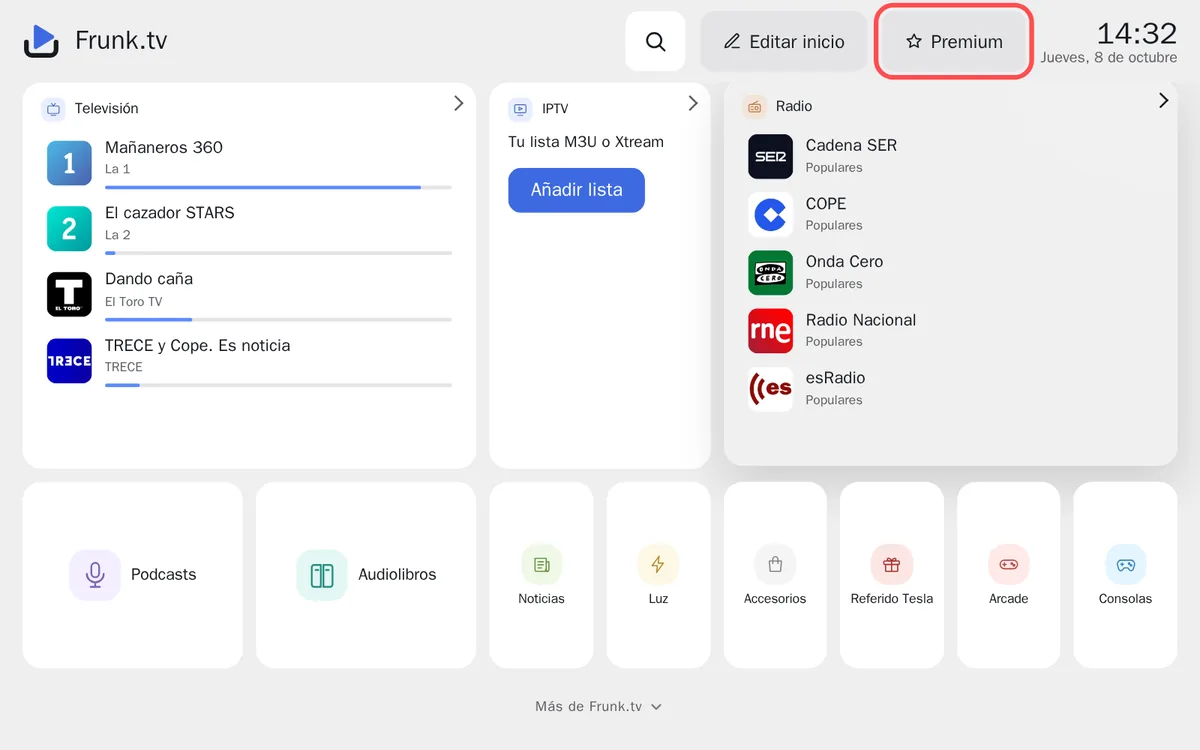
The Premium button, top right on Home. - In the car: scroll down to Activate it with your Telegram. A QR code
appears.
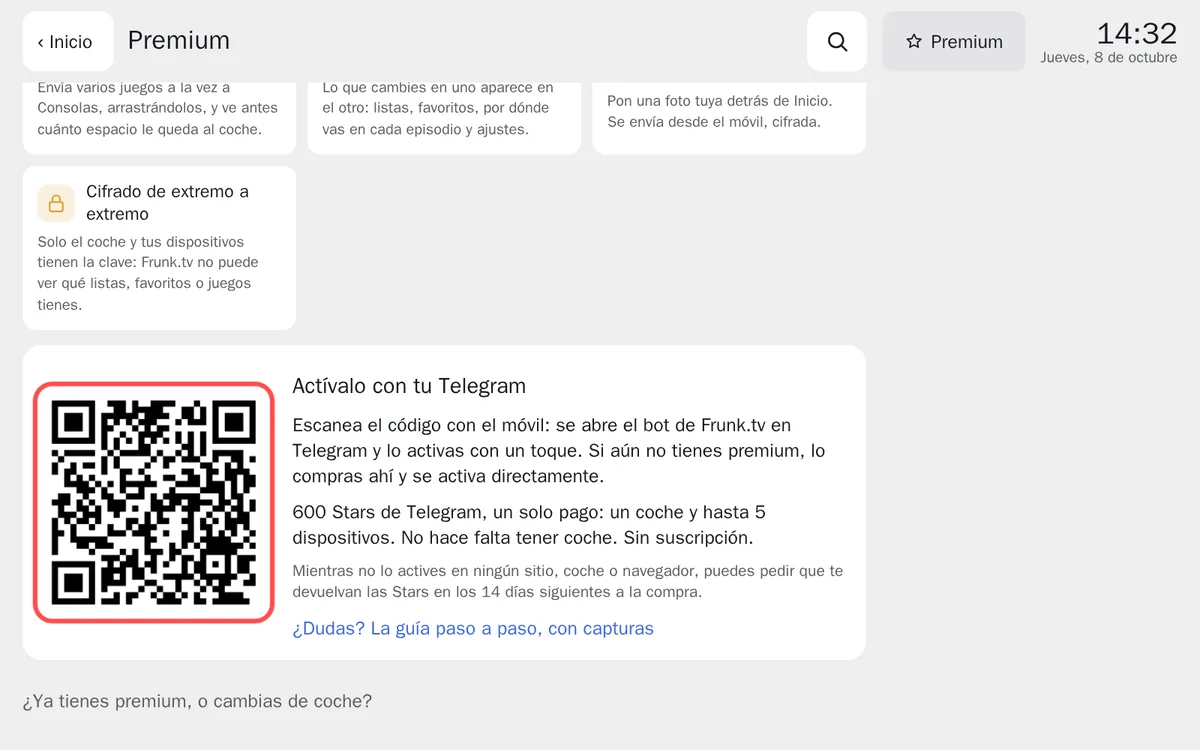
The car's QR code. It expires after 10 minutes: if you take longer, a new one appears by itself. - On your phone: open the camera and point it at the code. Tap the link that appears: the Frunk.tv bot opens in Telegram. If it asks you to «Start», tap it.
- On your phone, in Telegram:
- If you have already paid, the bot asks whether to activate it in this car. Tap Activate in this car.
- If you haven't bought it yet, the bot sends you the invoice. Paying it activates premium in that car straight away, with no more steps.
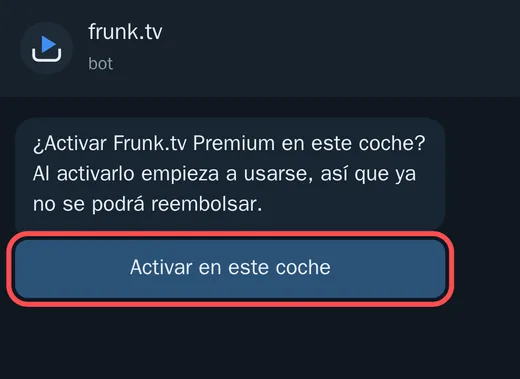
Already paid: one tap on «Activate in this car». 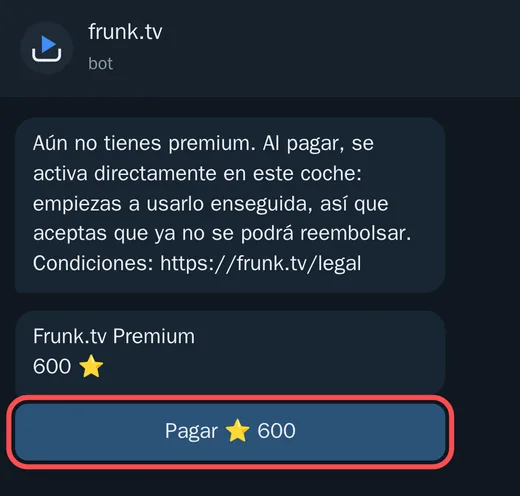
Not bought yet: pay the invoice and it is activated in the car. - In the car: the screen changes by itself within a few seconds and shows
Active. That's it.
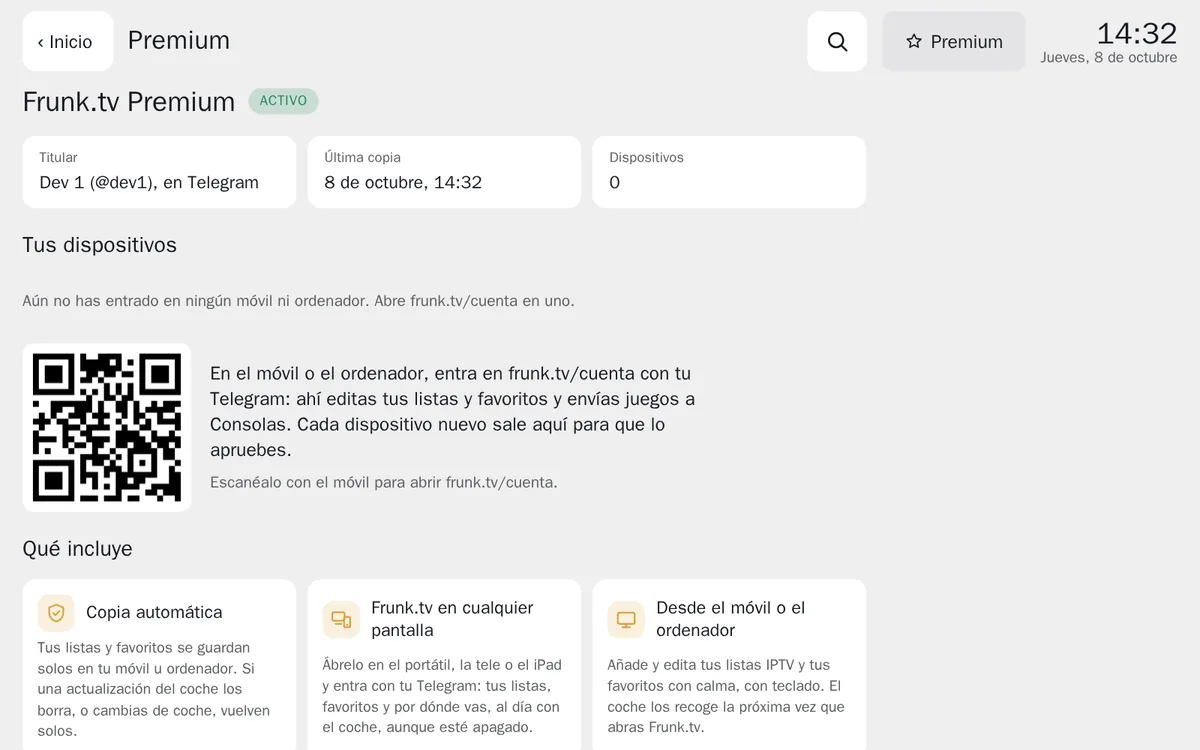
Premium active in the car. From here on, an encrypted copy is kept by itself.
No car: on a computer or a TV
If you don't have a Tesla, premium lives in the browser you use most: your home computer's, the TV's or a tablet's.
- On your phone: buy it in the bot, with this
link or by typing
/premiumto @frunktv_bot. - On the computer: open frunk.tv/#/premium and tap Sign in with
Telegram. Sign in with the same Telegram you paid with.
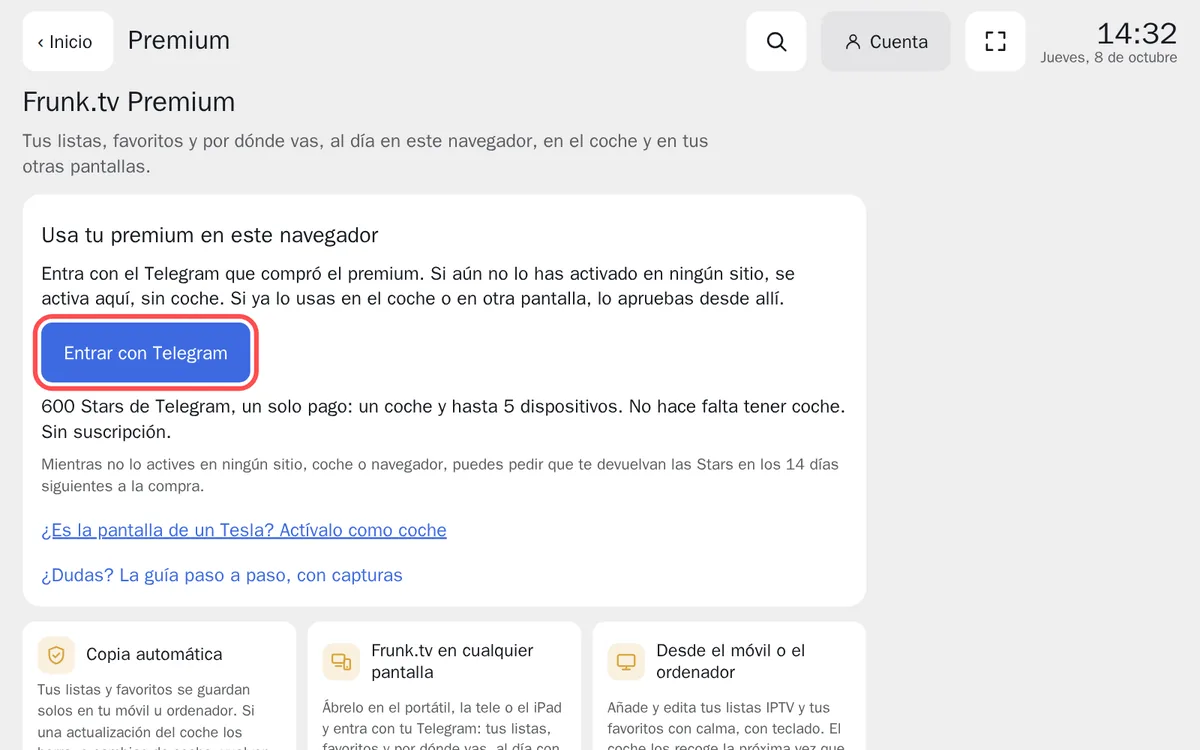
On the computer: «Sign in with Telegram». - Tap Activate in this browser and accept the notice.
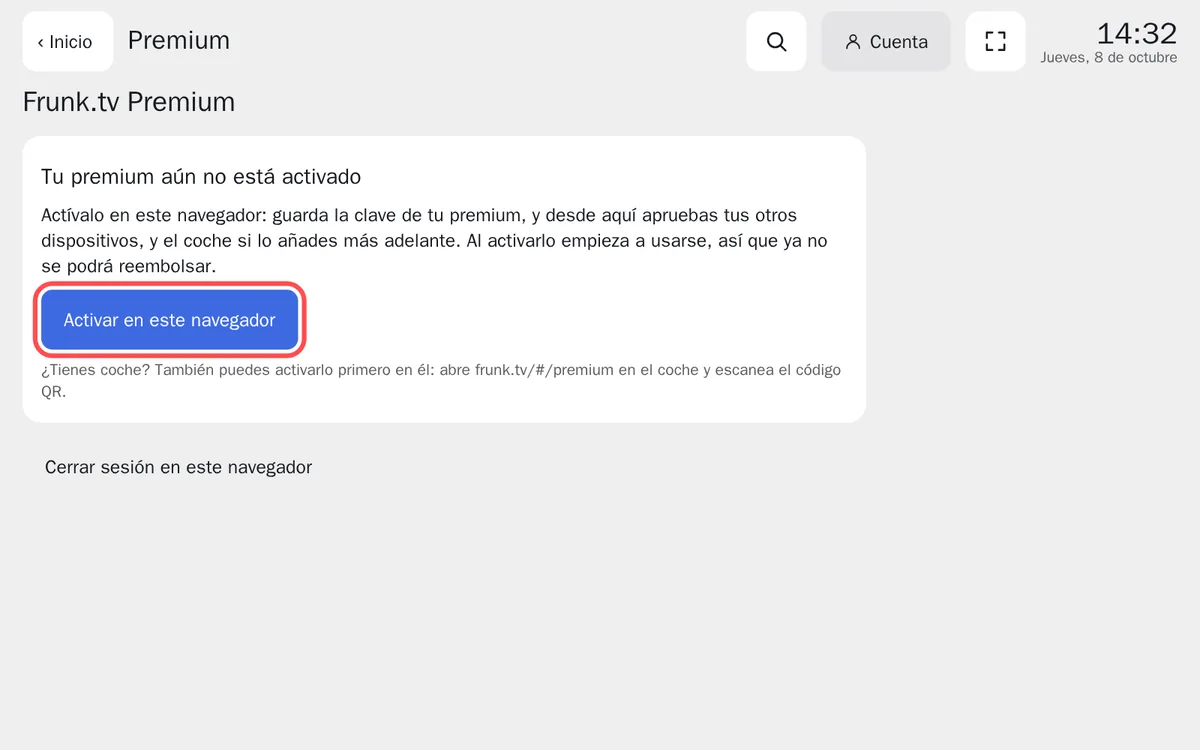
That browser becomes your main screen: it is where you approve your other devices.
Getting a Tesla later? Scan its QR code just as in the previous section: the car joins your devices and receives your lists and favorites.
On more devices (optional)
With premium active, you can have your lists and favorites on up to 5 more devices: your phone, laptop, TV, iPad…
- On that device: go to frunk.tv/cuenta and sign in with your Telegram. On
your phone, the bot's Frunk.tv button → Account works too. A six-character
code appears.
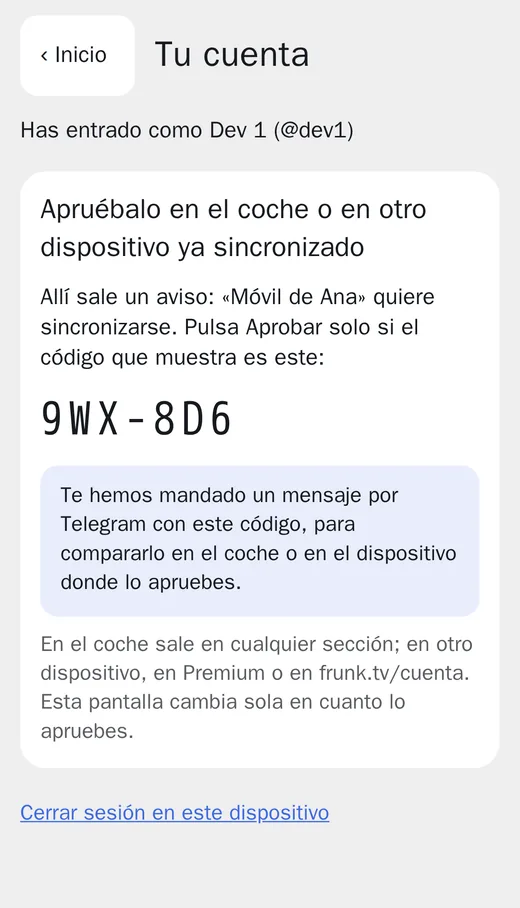
The new device shows its code and waits. - In the car (or on your main screen, if you have no car): with Frunk.tv open, within half a
minute a notice appears with the same code. If it matches, tap Approve.
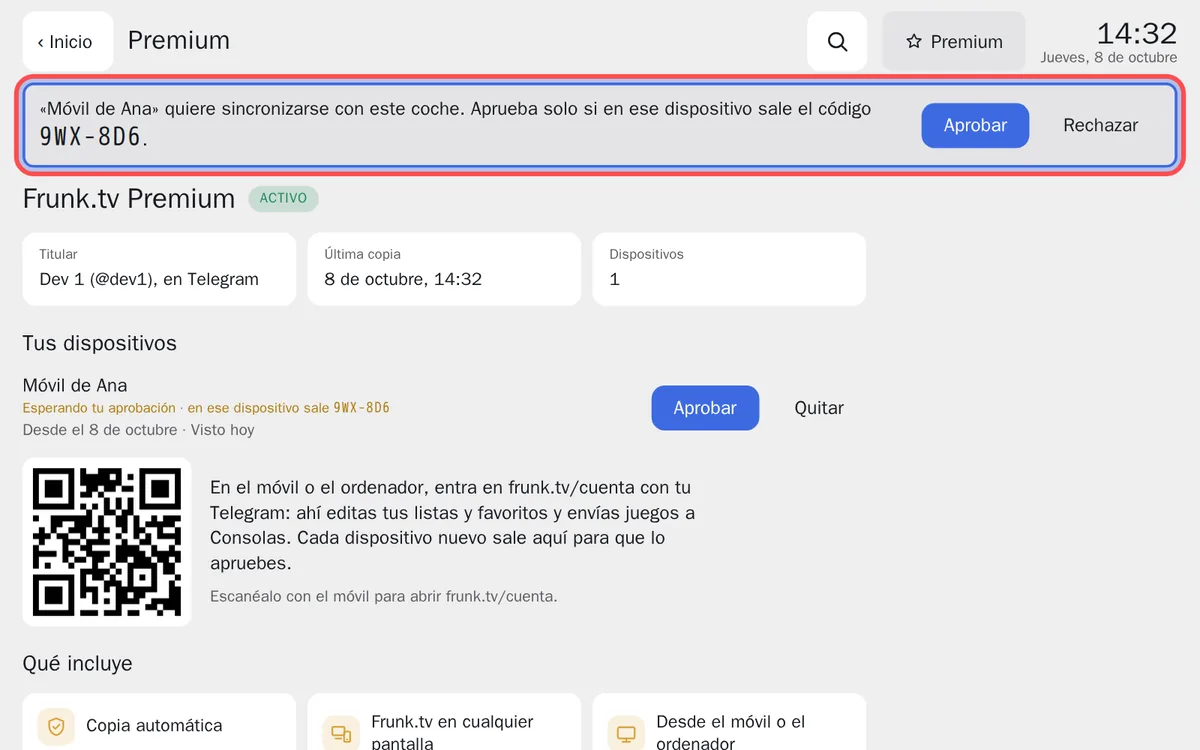
The car's notice, with the same code. If you don't recognise the device, «Decline».
The bot also sends you the code on Telegram, to compare. From then on, what you change in one place shows up in the others.
Toybox: the lock sound, the license plate and wraps
With premium, in frunk.tv/cuenta → Toybox you prepare on the computer what the car's Toybox reads from its USB stick: the sound it makes when it locks, and the license plate and paint (wrap) of the car you see on its screen. Frunk.tv saves them with the format, size and name the car asks for, without touching anything else on the stick.
- Pick a sound. There is a gallery made on the page itself (Little bell, 8-bit coin,
Spaceship…), you can upload your own file, or tap Search for a sound…: thousands of Creative
Commons effects from Freesound and Wikimedia Commons. Listen with ▶ and sort them by relevance or by length.
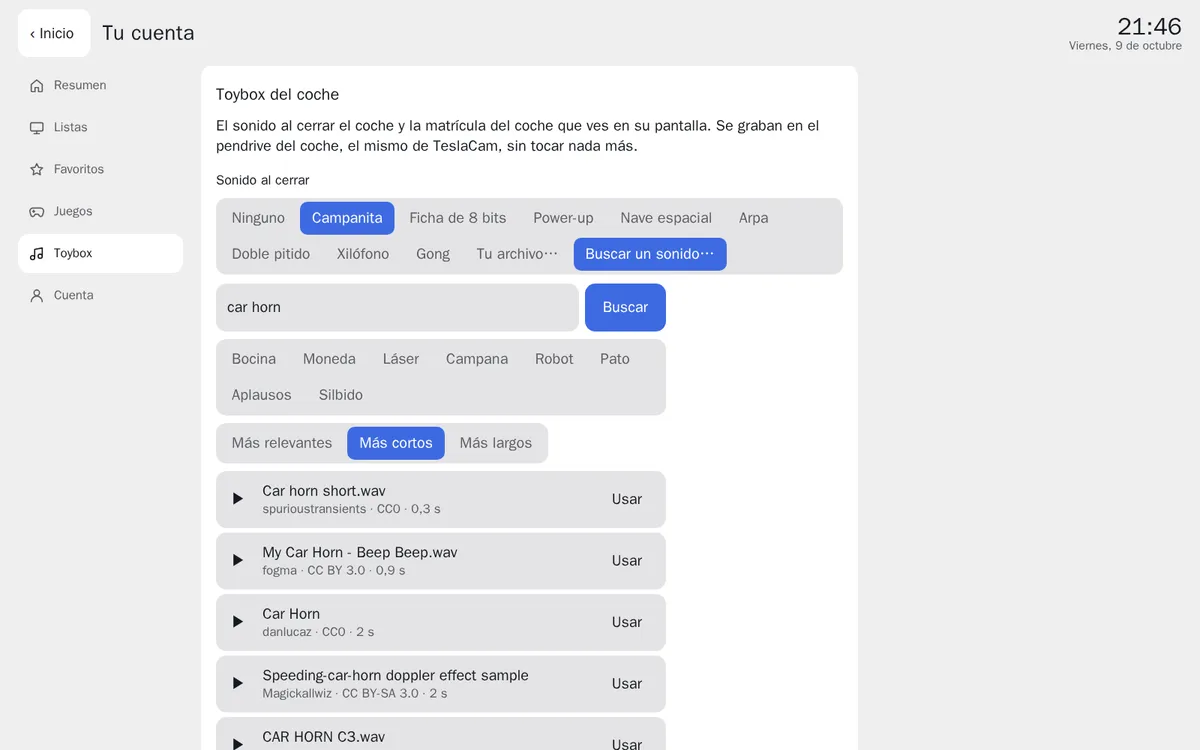
Search for a sound: each result with its author, licence and length. - Trim it. With your file or a sound you found, choose where it starts and how long it lasts
(5 s at most). It is saved as WAV, at full volume and under 1 MB, the way the car wants it. Below it stays the
link to the original sound with its author and licence.
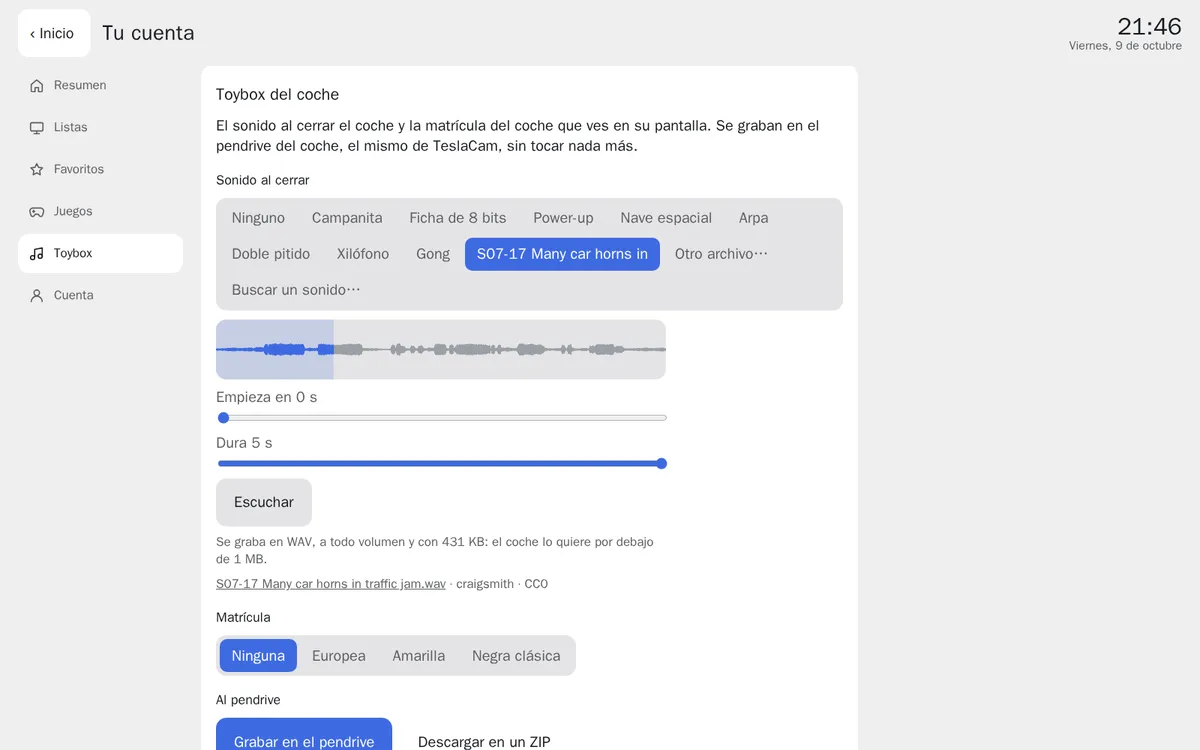
Tap the waveform or move the handles to keep the part you want. - The license plate, if you like: European with the blue band and your country's letters, yellow, or classic black, with your text.
- The wrap, if you like: choose your car (Model 3, Model Y, Model S, Model X or Cybertruck, by
year and version) and a design. Tesla examples are the ones Tesla publishes for each model;
with Patterns, Color, Gradient or Your
image…, Frunk.tv cuts it with your model's official template, so it only covers the body. The
Flat view is the unfolded body, which is what the car follows; with Approximate
3D you see it on a model of the car and turn it with your finger or the mouse, to get an idea before
saving it.
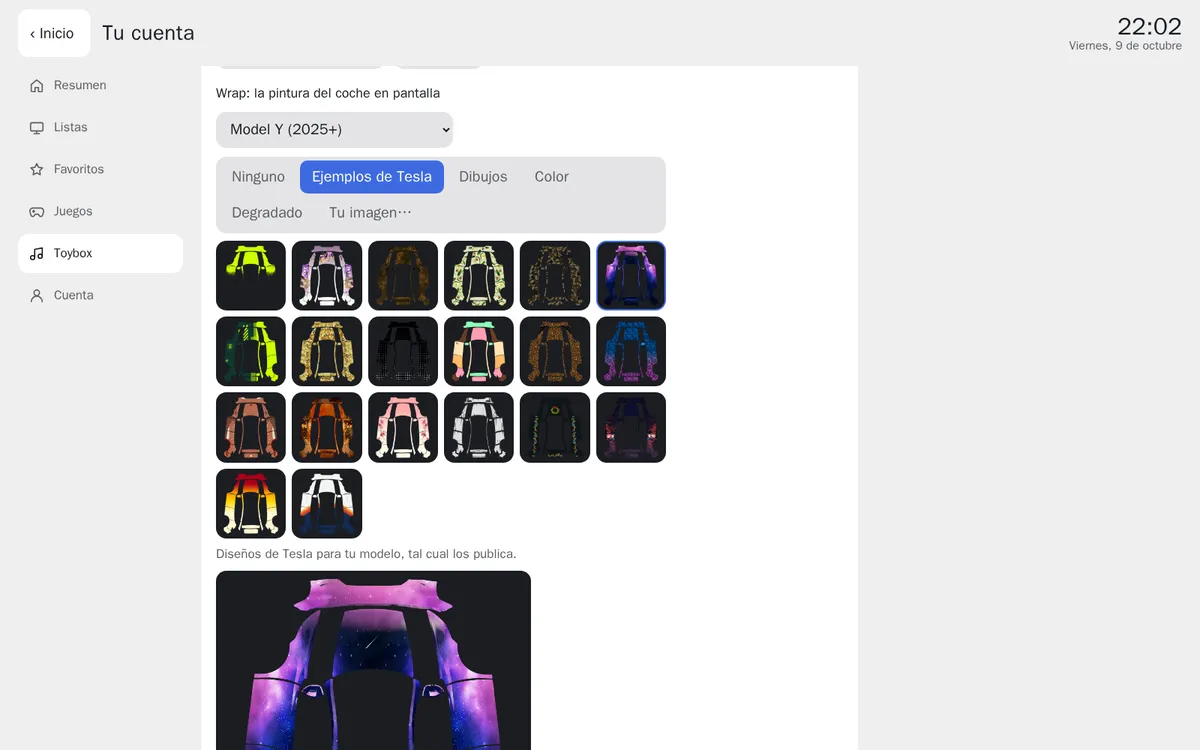
The examples Tesla publishes for your model. 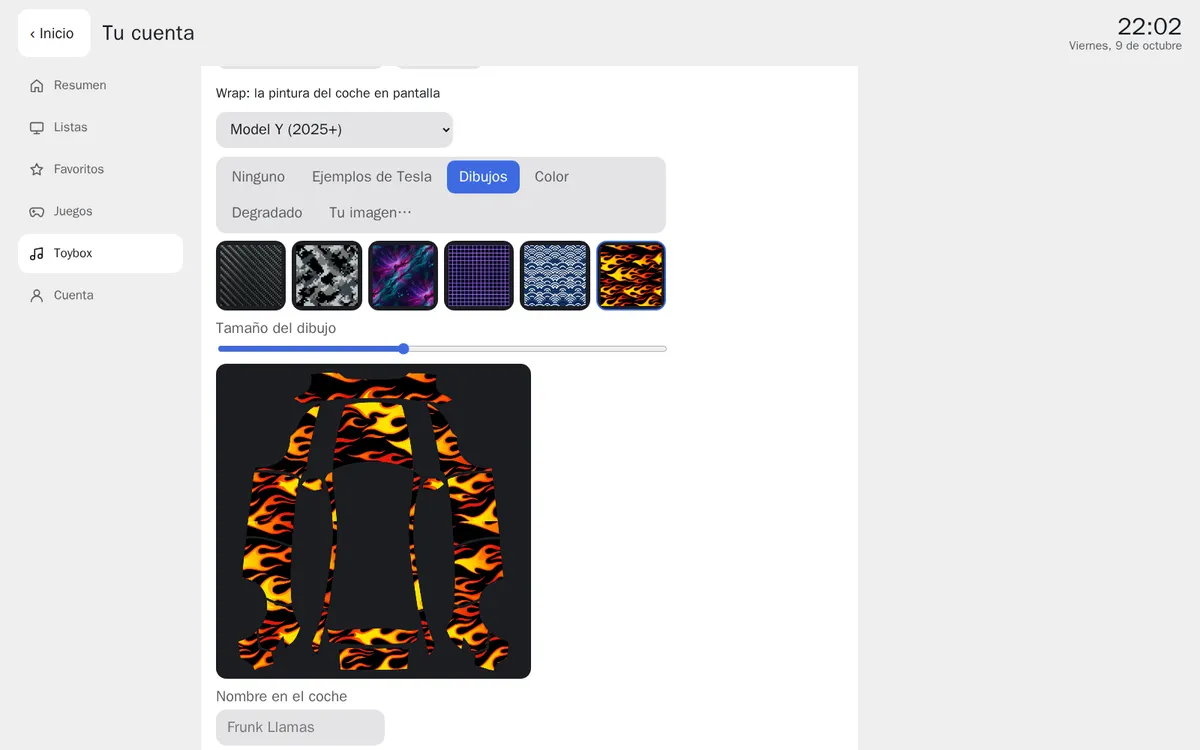
A pattern on the template, at the size you choose. 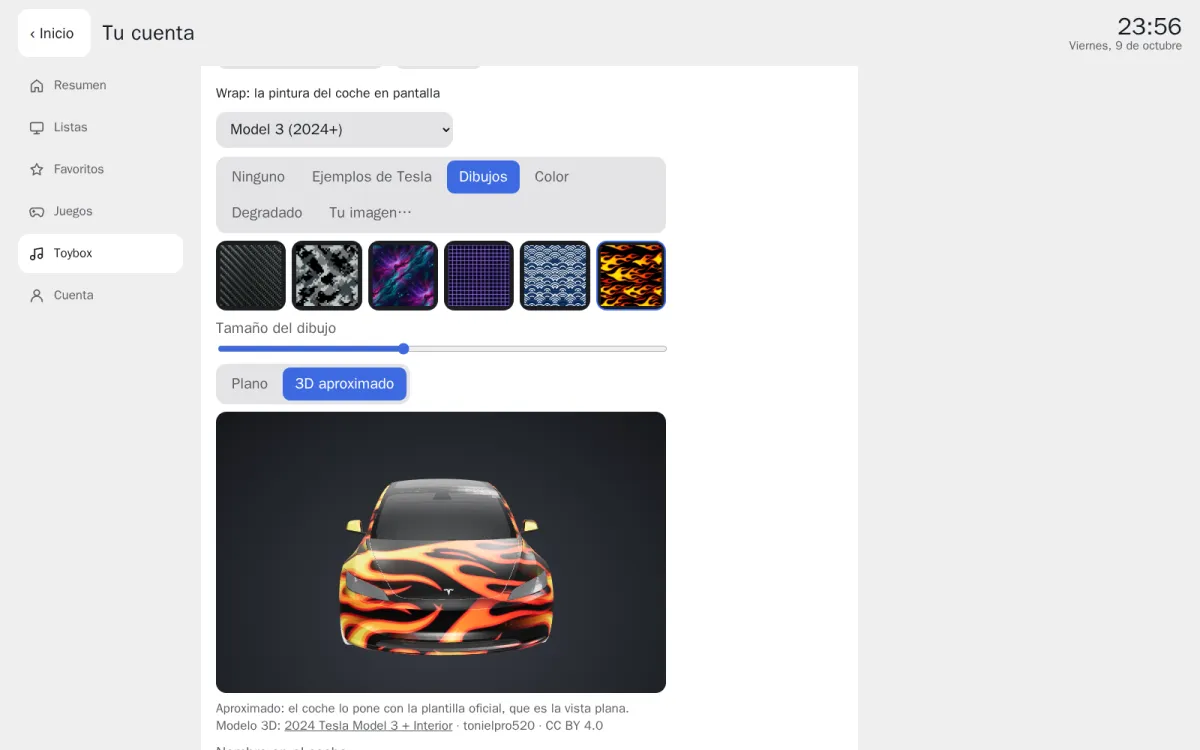
The same pattern in Approximate 3D, before saving it. - To the USB stick. Plug the car's USB stick (the TeslaCam one) into the computer. In Chrome or
Edge, Write to the USB stick and pick the stick, not a folder inside it. In other browsers,
Download as a ZIP and unzip it onto the stick, outside any folder.
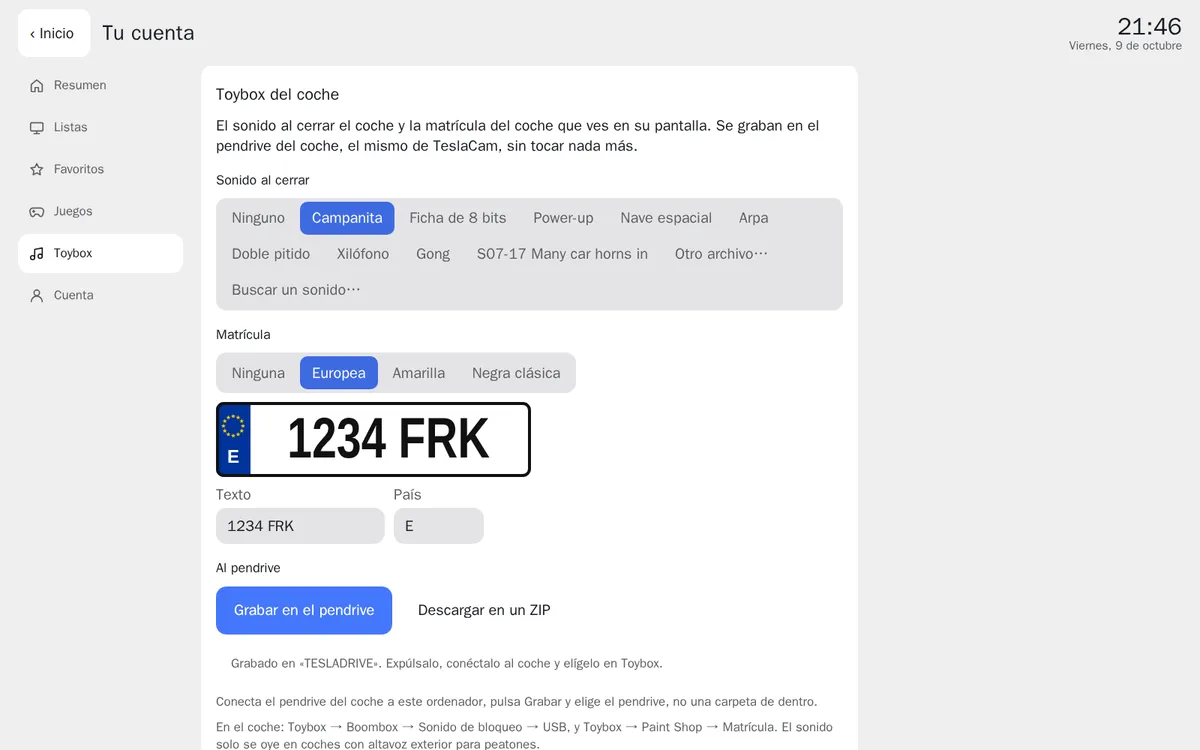
The European plate and the stick already written. - In the car, with the stick plugged in: Toybox → Boombox → Lock Sound → USB, and Toybox → Paint Shop → License Plate or Wraps (up to 10 wraps fit). The sound is only heard on cars with an external pedestrian speaker (the one that sounds at low speed).
Halloween: theme, player, sounds, wraps and lights
From 14 October to 2 November, Frunk.tv shows everyone its Halloween; with premium it is yours and stays in your collection when the season ends. It is all Frunk.tv's own: the music and sounds are made by synthesis and the images are original, with no characters or brands. Without premium you can try the theme and the player for 30 seconds in your car; the files are only given to a car or device with premium.
- The theme. On Home, Edit Home → Wallpaper and cards →
Halloween: a full-moon night with pumpkins, and on top bats and mist that move slowly (none if
the browser asks for reduced motion). With Glass cards you see more of it.
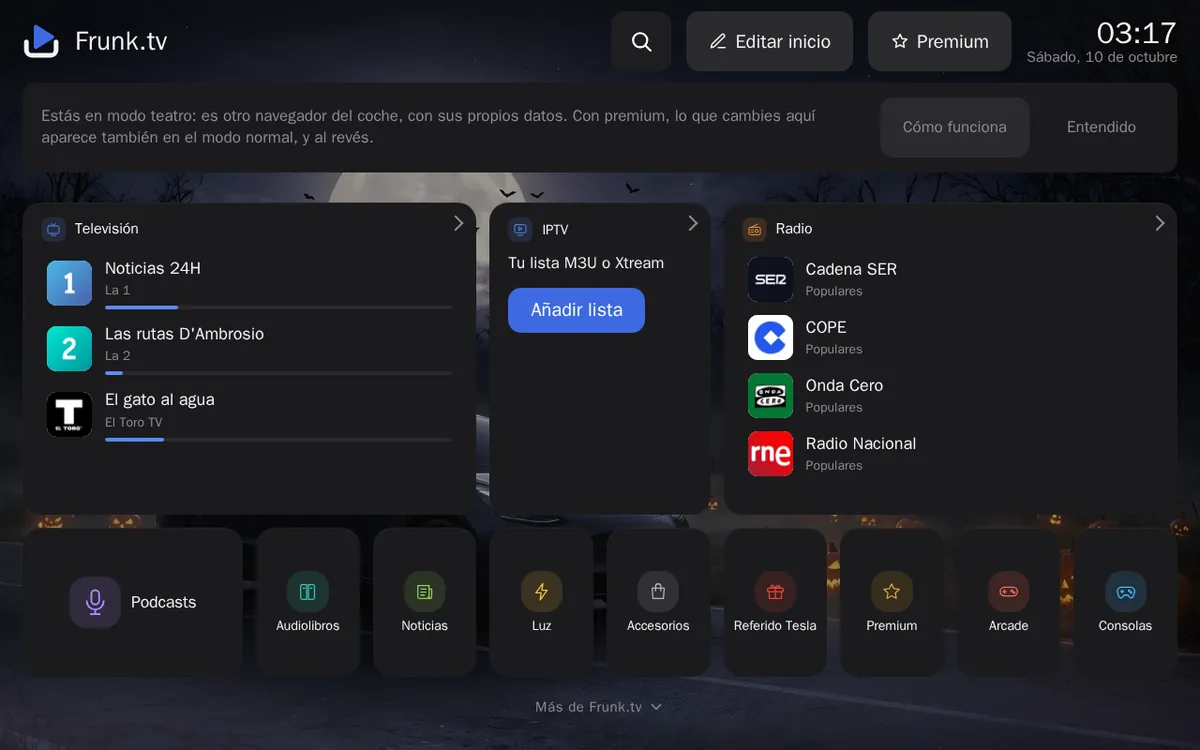
The Halloween theme behind Home. 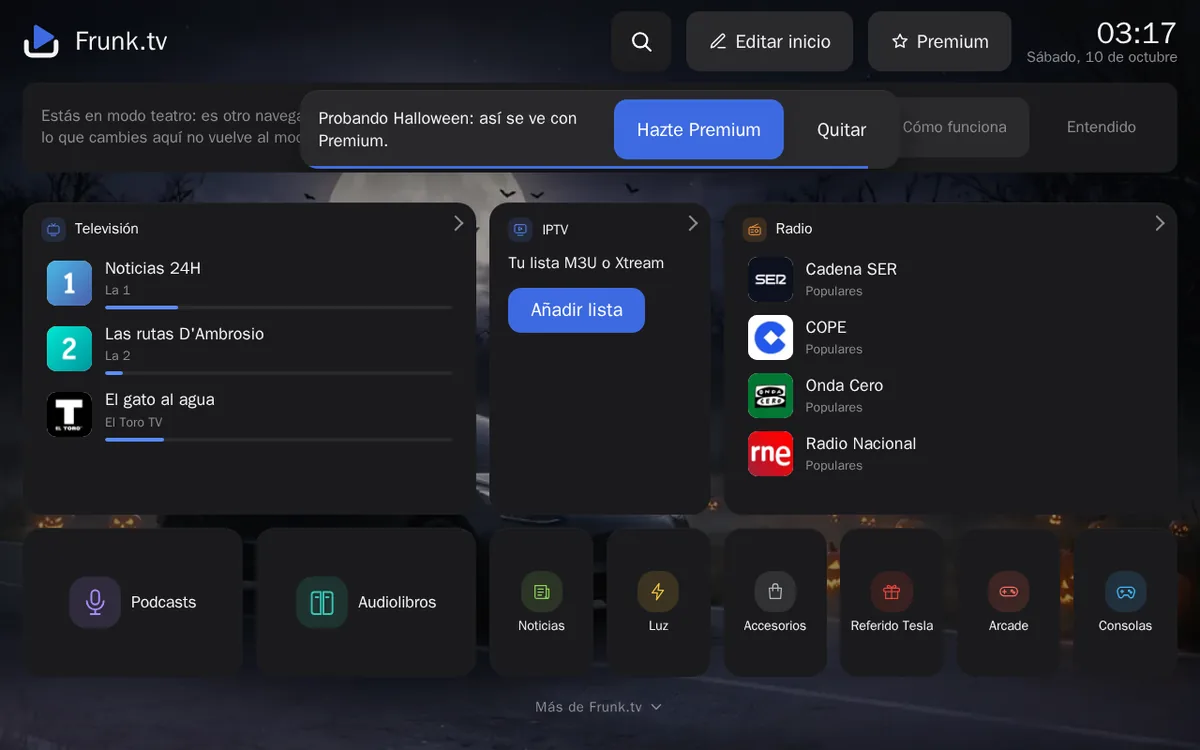
Without premium, you try it for 30 seconds. - The radio in a pumpkin. Tap the station in the audio bar, then Style →
Pumpkin: a carved pumpkin that flickers like a candle, under the moon.
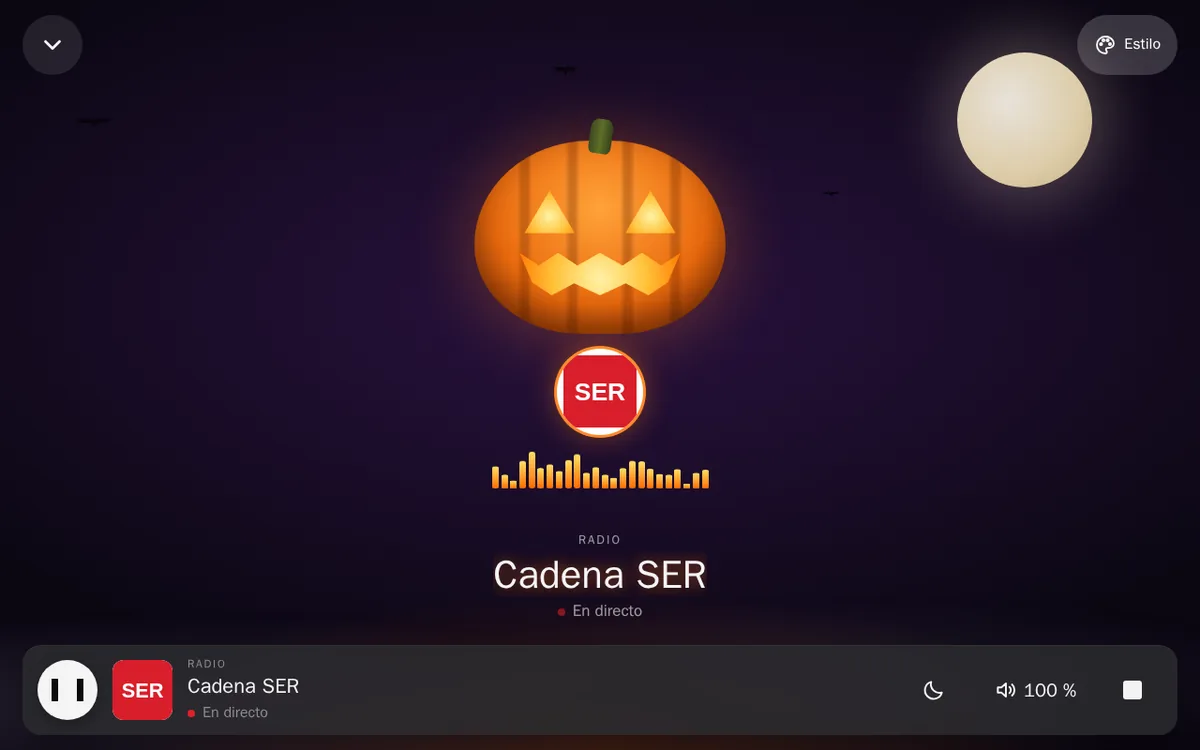
«Pumpkin» in Playing. - Sounds and wraps. In frunk.tv/cuenta → Toybox, below the
gallery, six Halloween lock sounds (haunted organ, midnight bells, ghostly theremin, creaking door, ghost and
crow) and, under the wrap's Patterns, four Halloween ones (pumpkins, bats, skulls and ghosts).
They are written to the stick like the rest.
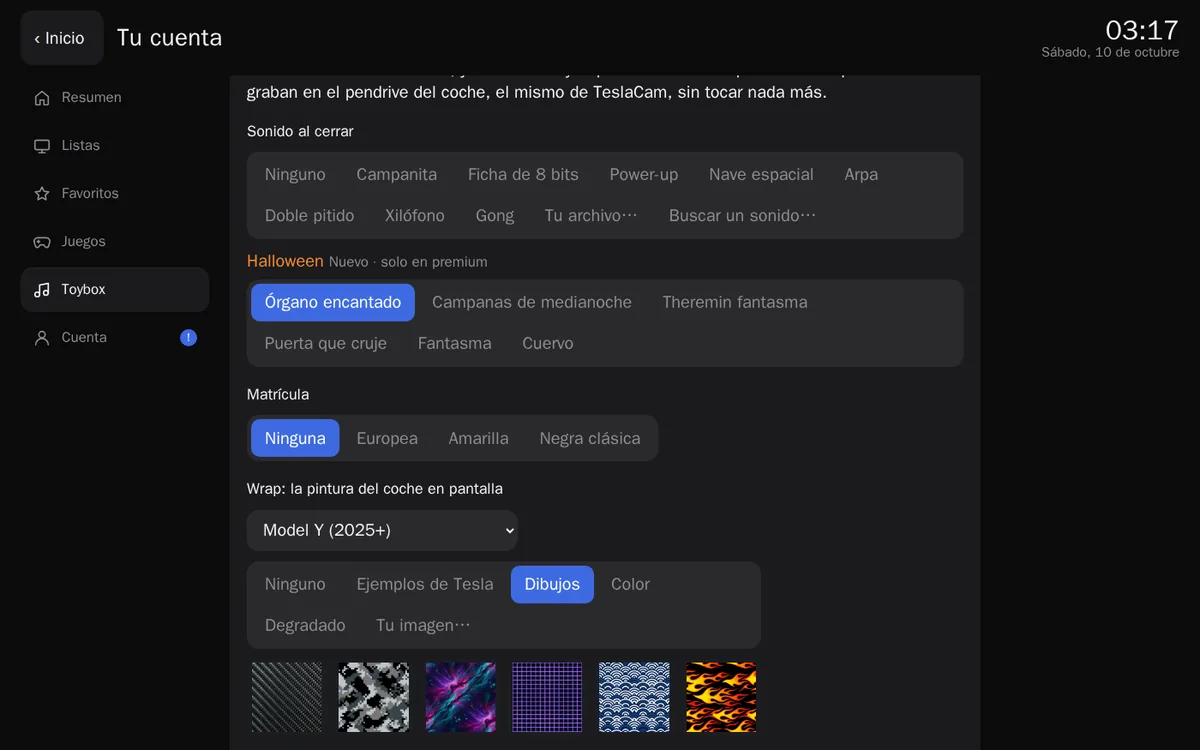
The Halloween sounds and patterns in Toybox. - «Midnight», the light show. A little over a minute of original music with the car's lights
in time: headlights, indicators, fog lights and tail lights. Lights only: it opens no doors, windows or
mirrors. In Toybox, See how it looks plays it on a drawing of the car. To take it to the car
you need another USB stick, without the TeslaCam folder (the car doesn't load shows from the
camera's stick), in exFAT or FAT32: Write to another USB stick or Download as a
ZIP and unzip it at its root. In the car: Toybox → Light Show, and pick «Midnight». Use it parked
somewhere private, away from traffic, with nobody in front of the headlights.
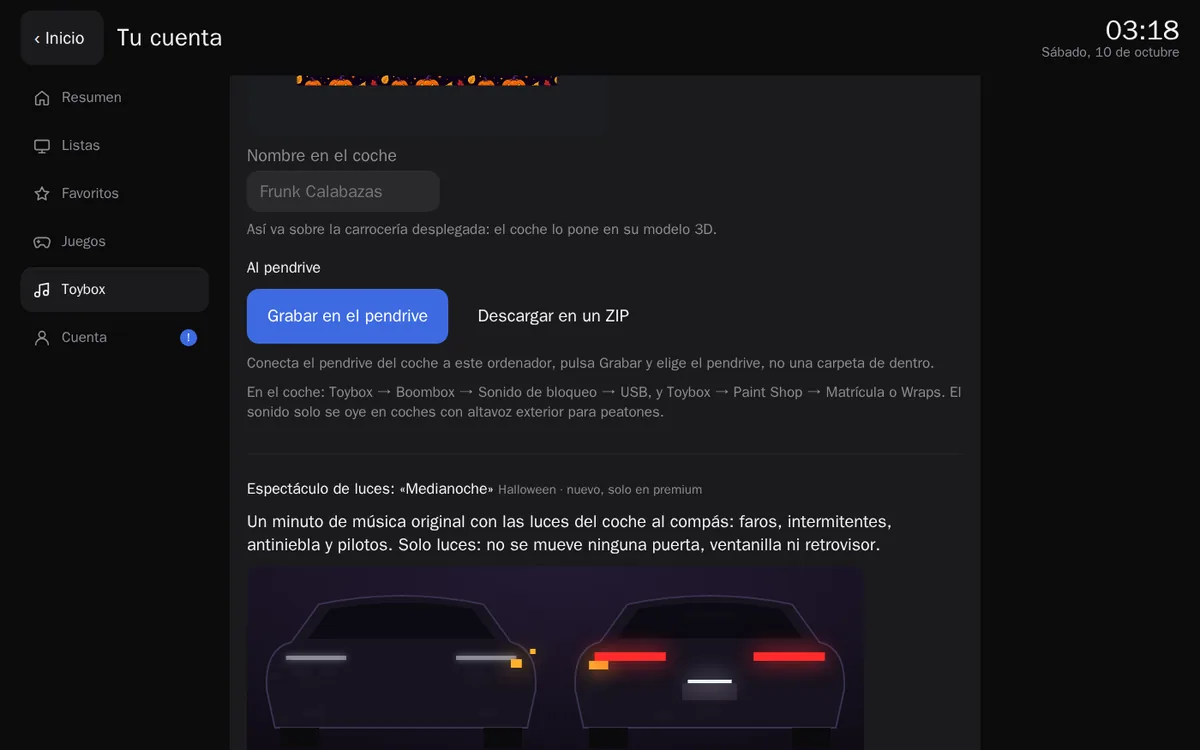
«Midnight» in Toybox, before writing it.
If you change cars
In the new car, tap Premium and scan its QR code. The bot offers to move premium to that car: the old one loses it, and your devices give the lists and favorites back to it.
Refunds
As long as you haven't activated it anywhere, car or browser, send /reembolso to the bot within 14
days of the purchase and it gives your Stars back. Once activated it is no longer refunded. Full terms in the
legal notice.
Frequently asked questions
- Where do I open frunk.tv/#/premium, in the car or on the computer?
- If you have a Tesla, in the car's browser: that is where the QR code you scan with your phone shows. The computer is only needed if you have no car, or to add it later as another device.
- I have already paid in the bot, what now?
- Open Frunk.tv in the car, tap Premium and scan the QR code with your phone. The bot knows you have paid and only asks you to tap «Activate in this car».
- What do I need to buy it?
- Telegram on your phone and 600 Stars, which you buy in Telegram's Settings. You don't need a car.
- Can I get a refund?
- Yes, within 14 days and as long as you haven't activated it in any car or browser: send /reembolso to the bot. Once activated it is no longer refunded.