How to watch TV in a Tesla
The Tesla browser plays video, and many broadcasters stream their channels for free on the internet. Frunk.tv gathers them in a grid with big buttons: official free-to-air streams from your country, in 29 countries, free and with no account.
Step by step
- Park the car: the browser plays video in Park. Out of Park, the car stops it.
- Open the browser and type frunk.tv.
- Tap Television and pick a channel, in your country's numbering order. The search box finds
any of them by name, and in Spain the chips at the top also sort them by kind and by region.
Next to Channels, the What's on tab shows what is on now and next on
each channel with a guide.
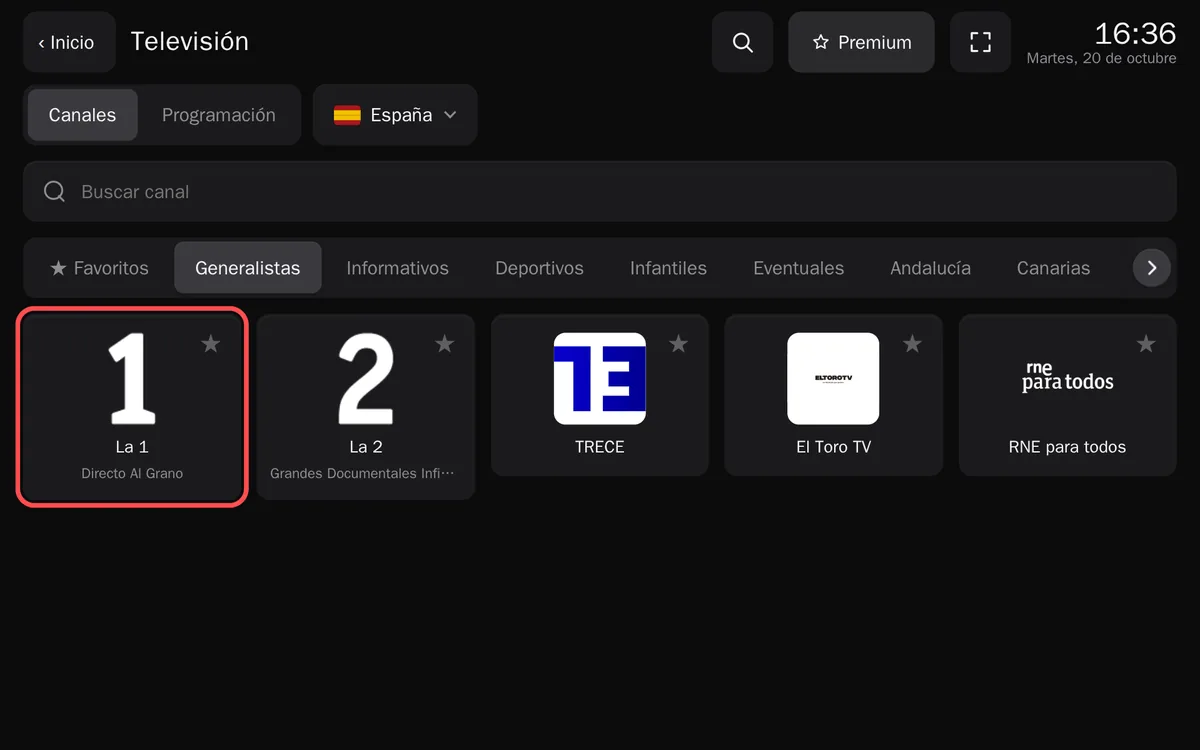
Television, here with Spain's channels. The ★ saves a channel to Favorites. - The channel starts. The player's arrows go to the previous or the next one, and on channels with a
programme guide, Guide shows what is on in the coming hours.
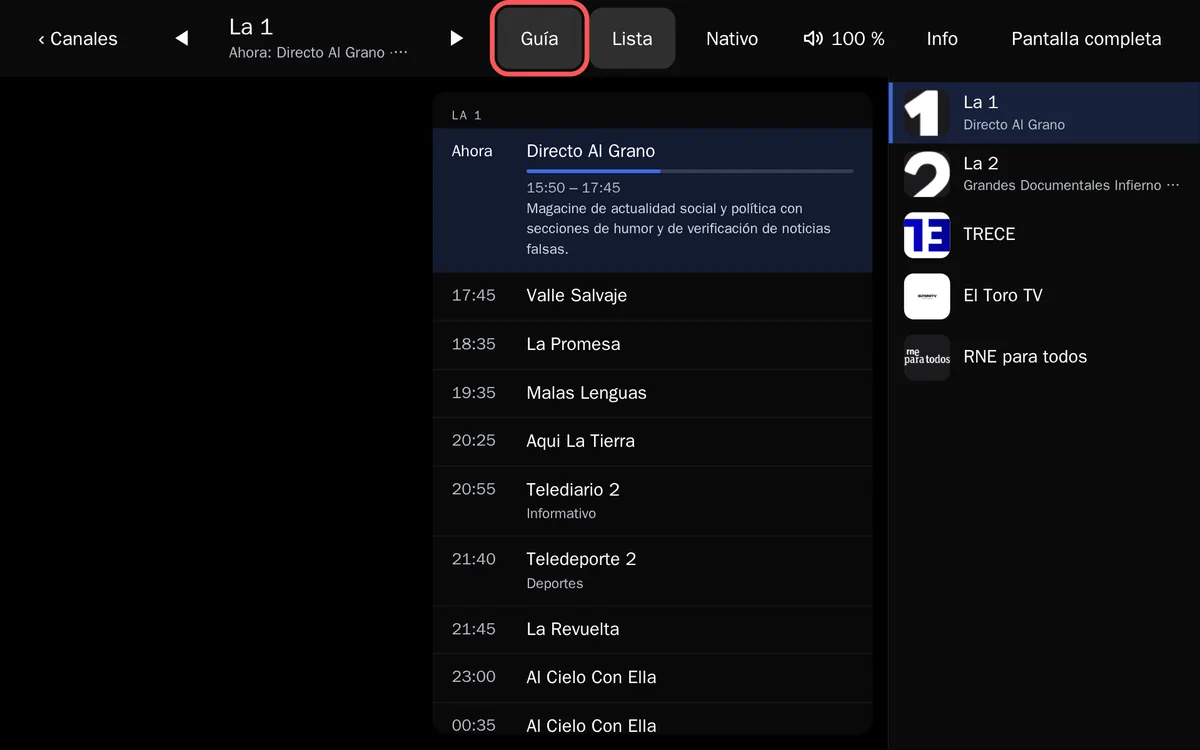
The player's bar: previous and next channel, Another source, Guide, List, Native, volume, Info and Full screen. - Beside the video is the list of channels from the tab you opened it from, with what is on now on each.
Tap another to switch without leaving the player. List hides it for a bigger picture; on a
phone it sits under the video.
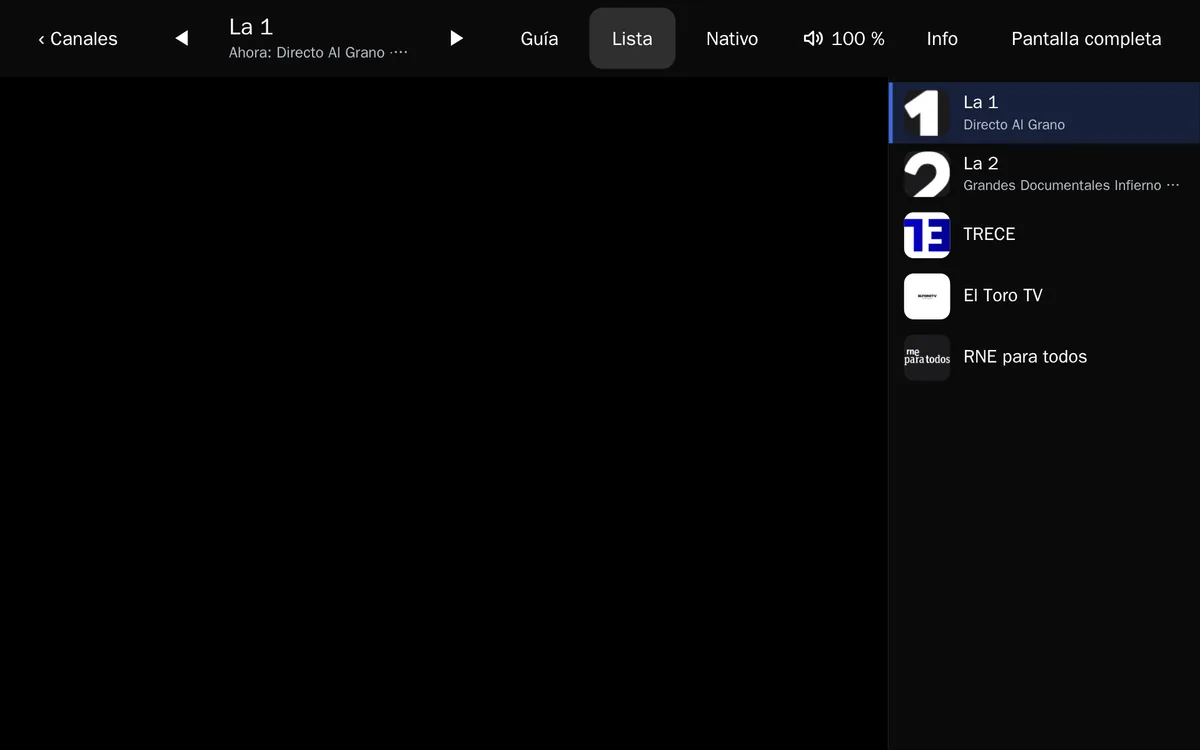
The list steps aside in full screen, where the picture comes first. - To make it bigger, tap Full screen in the player. To hide the car's bars as well, use theater mode.
Which channels you get
Frunk.tv takes the car's country, and it can be changed in «Language and country», at the bottom of Home. Outside Spain, Television shows the official free streams of that country from Free-TV/IPTV, a public, curated list of broadcasters' own streams; Frunk.tv leaves out those a browser cannot play. On the day this guide was written, for example:
- United Kingdom: BBC One, BBC Two, BBC Three, BBC Four, CBBC, CBeebies, BBC News, BBC Parliament, Sky News, STV and S4C, among others.
- Ireland: RTÉ One, RTÉ2, RTÉ News, TG4 and Virgin Media One to Four.
- United States: mostly news, like ABC News, CBS News, NBC News, CNN, Bloomberg and NASA TV.
There are channels in 28 countries besides Spain, from Germany, France or Italy to Canada and Australia; the list changes as broadcasters change their streams. Many channels only stream to connections from their own country: it depends on the IP address the car goes online with, not on where the car is.
In Spain there are about 200 channels: RTVE, the regional broadcasters and many local ones, each broadcaster's official stream, and RTVE's channels carry a programme guide that shows what is on now and next.
Netflix, Prime Video and other platforms in one place
On Home, the Platforms tile gathers shortcuts to the official websites of Netflix, Prime Video, Disney+, HBO Max, Movistar Plus+, Apple TV+, SkyShowtime, Filmin and DAZN, and to the free ones: RTVE Play, atresplayer, Mediaset Infinity and Pluto TV, plus YouTube and Twitch. It is free, for everyone.
Each shortcut is a plain link that opens the service's website in another tab, with its own login, ads and player: Frunk.tv streams nothing from them. Paid ones need your subscription, and some may not play in the car's browser because of copy protection; for those, Tesla's own Theater usually works better. Trademarks belong to their owners; Frunk.tv is not affiliated with them.
Missing channels? Add your own IPTV list
If the channel you want is not there, because it does not stream for free on the internet, and you have an IPTV list (an M3U URL or an Xtream Codes account), Frunk.tv plays it too. Tap Add list on the IPTV tile of Home, or send it from your phone with a QR code: it is explained step by step, with screenshots.
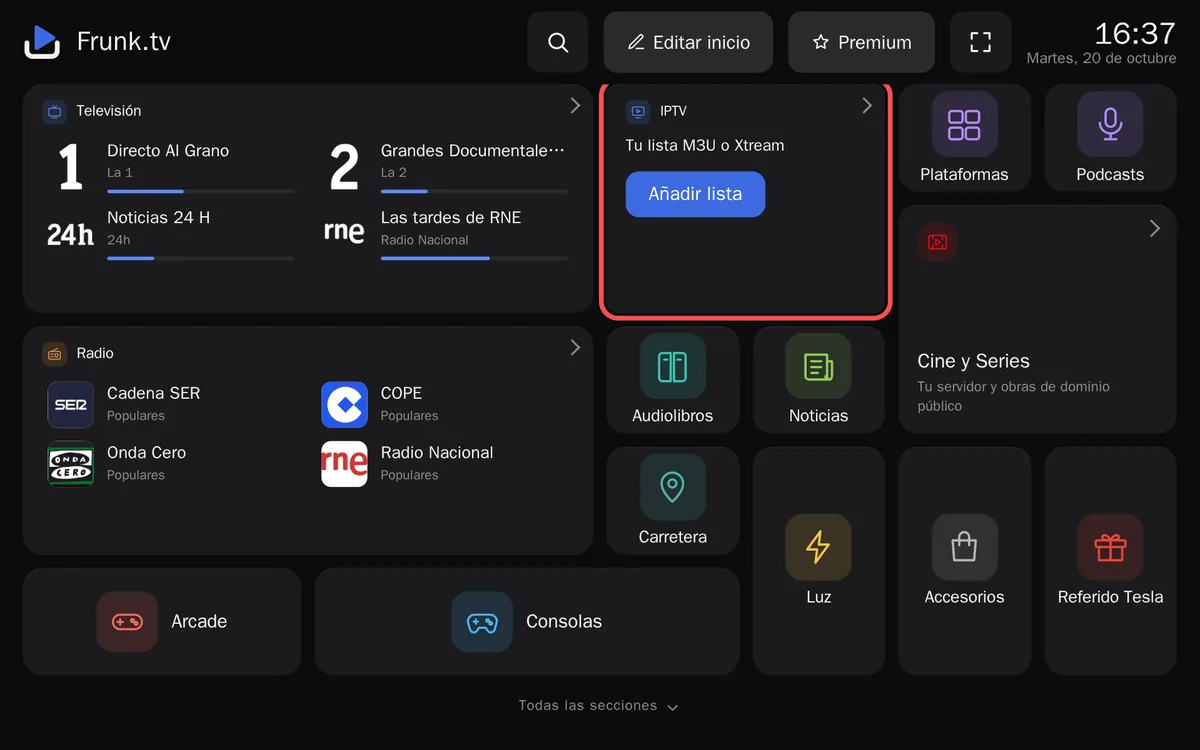
Living outside Spain
Frunk.tv starts with the car's country, so outside Spain Television shows that country's channels. To watch Spain's instead, tap the button with the flag and the country's name at the top of Television and pick Spain. Radio and Podcasts have their own: each section remembers its own country, and all three can also be changed in «Language and country», at the bottom of Home.
- RTVE's channels (La 1, La 2, 24h, Teledeporte and Clan), most regional public channels and nearly all radio stations work from abroad.
- Channels whose broadcaster only lets them be seen from Spain (SX3, Esport3 and a few more from 3Cat; on the radio, Radio Marca) carry a small Spain only mark in the list. If one won't start, the player says «This channel is only broadcast for Spain.»
- Frunk.tv uses no proxies or VPNs: the video comes to the car straight from each broadcaster.
Podcasts in Spanish? Pick Spain in Podcasts.
If a channel won't play
- If a stream fails, the player tries the next one by itself. When a channel has more than one, the Another source button switches by hand.
- Many broadcasters only stream to connections from their own country. That depends on the IP address the car goes online with, not on where the car is.
- The sound can go up to 300 % with Frunk.tv's own volume, in the player's bar.
The video never goes through Frunk.tv's server: the car gets it straight from each broadcaster.
Frequently asked questions
- Can you watch TV in a Tesla?
- Yes. Frunk.tv gathers the free, official streams broadcasters put on the internet, in 29 countries, and plays them in the car's browser.
- Can I watch TV while driving?
- No. TV plays with the car in Park; out of Park the car stops the video. Audio doesn't stop: radio, podcasts and audiobooks keep playing while you drive.
- Why won't some channels play?
- Many broadcasters only stream to connections from their own country: it depends on the IP address the car goes online with. If a stream fails, Frunk.tv tries the next one by itself, and the «Another source» button switches by hand when there is more than one.
- Some channels are missing, can I add more?
- Yes, with your own IPTV list (M3U URL or Xtream Codes), from the IPTV tile on Home. Frunk.tv does not sell lists and has no relation whatsoever with any provider or with anyone's list: the list is yours, it is kept privately in the car's browser and you are responsible for what it contains.