Half screen, full screen and theater mode in the Tesla browser
In the car, Frunk.tv shows in three ways, depending on what the car allows at each moment. Two are the same browser; the third, theater mode, is another browser with its own data. That is why what you save in one may not be in the other.
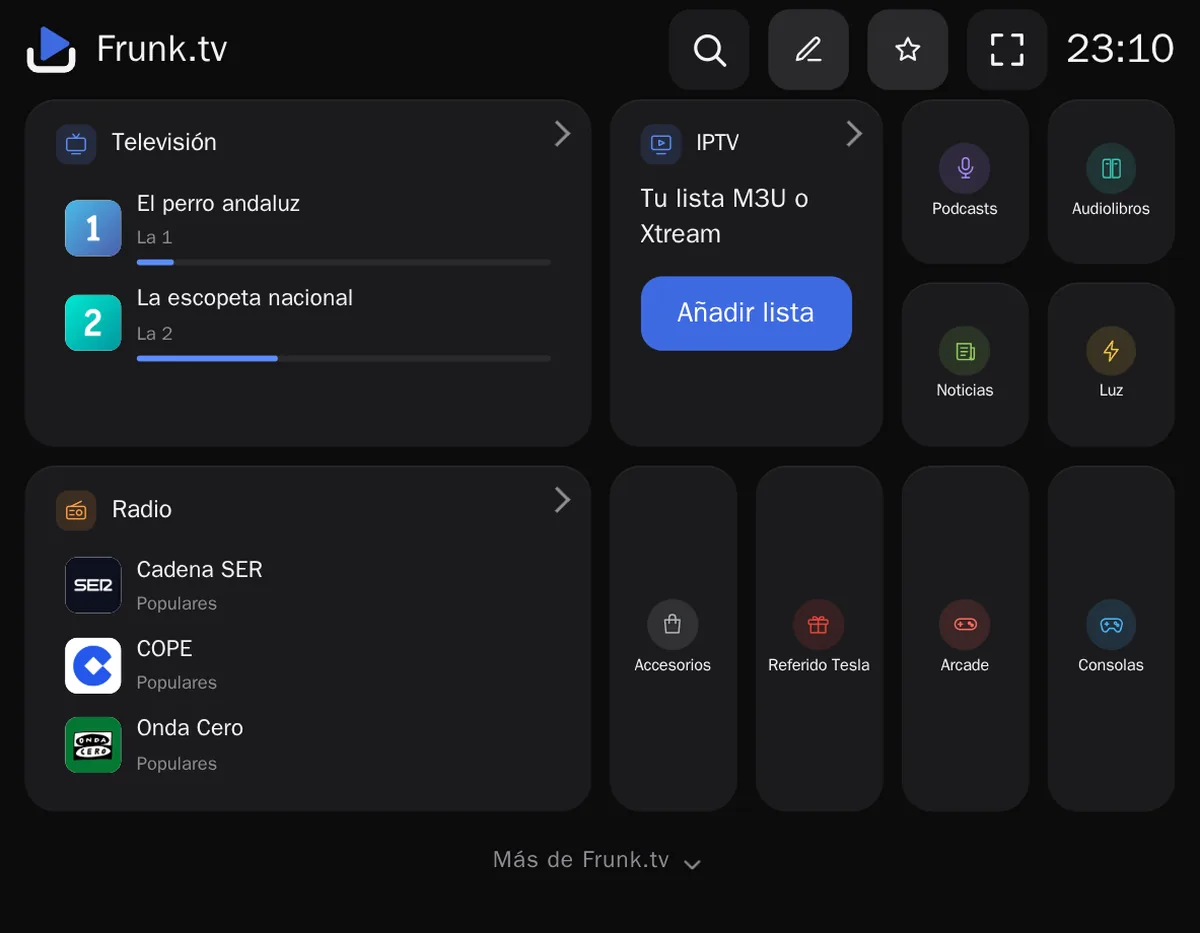
- 1 · Half screen Out of Park, driving. The browser takes half the screen and cannot be enlarged.
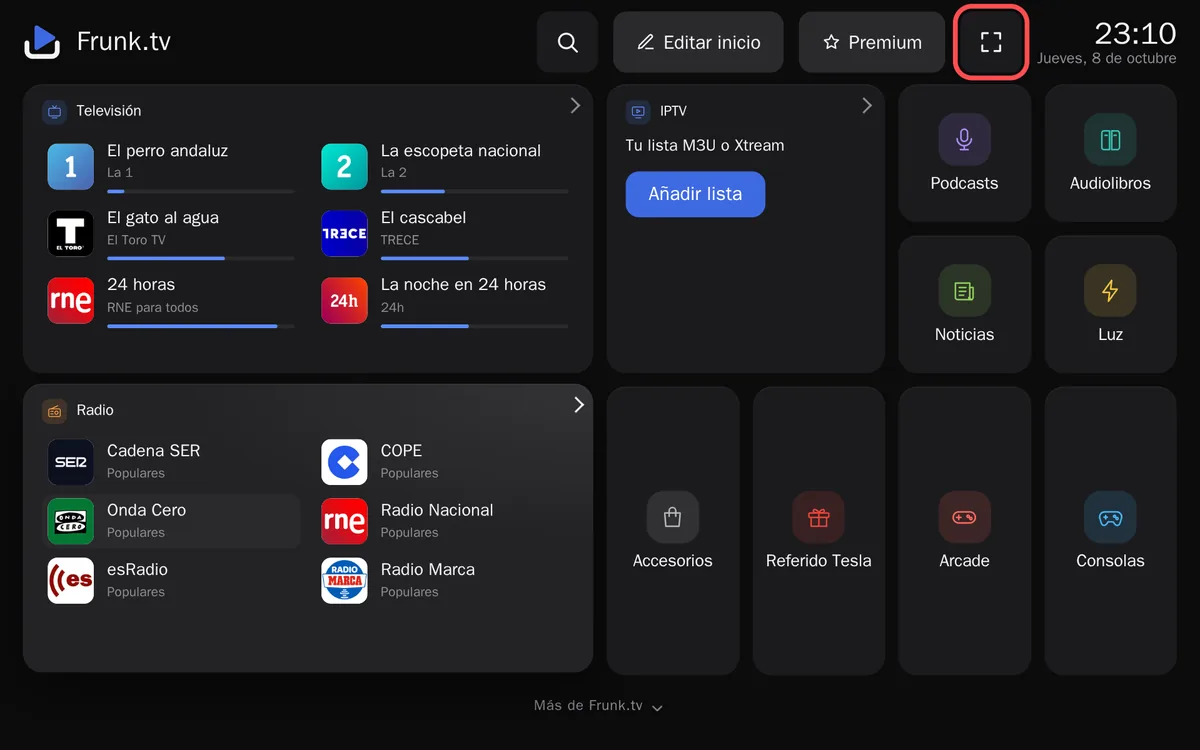
- 2 · Full screen In Park. The same browser, bigger. The browser's bar is still there.
- 3 · Theater mode Parked, with the button. No bars at all, but it is another browser.
| Half screen | Full screen | Theater mode | |
|---|---|---|---|
| When | Out of Park | In Park | Parked |
| How you get it | The car sets it when leaving Park | Enlarging the browser | Frunk.tv's button |
| Bars | Yes | Yes | None |
| Browser | The usual one: the same data | Another one, with its own data | |
1. Half screen, while you drive
With the car out of Park, the browser takes half the screen and the car won't let you enlarge it. Frunk.tv has a compact layout for that size, so radio, podcasts, audiobooks and Carretera are easy to handle. The car stops the browser's video; audio keeps playing while driving.
2. Full screen, in Park
With the car in Park, the car itself lets you enlarge the browser to the whole screen. It is the same browser as at half screen: your favorites, lists and settings are the same, only the size changes. The browser's address bar stays in view.
3. Theater mode: no bars at all
The Tesla browser has no button to hide its bars. But the car opens youtube.com full screen, without bars, and stays that way if YouTube redirects to another site. Frunk.tv uses that redirect to come back to itself without bars: that is theater mode.
- With the car parked, open frunk.tv in the car's browser.
- Tap the button in Frunk.tv's top bar.
- YouTube shows a notice that you are leaving YouTube: tap the link.
- Frunk.tv comes back, now without bars. The button disappears and Home reminds you that you are in
theater mode, until you tap «Got it».
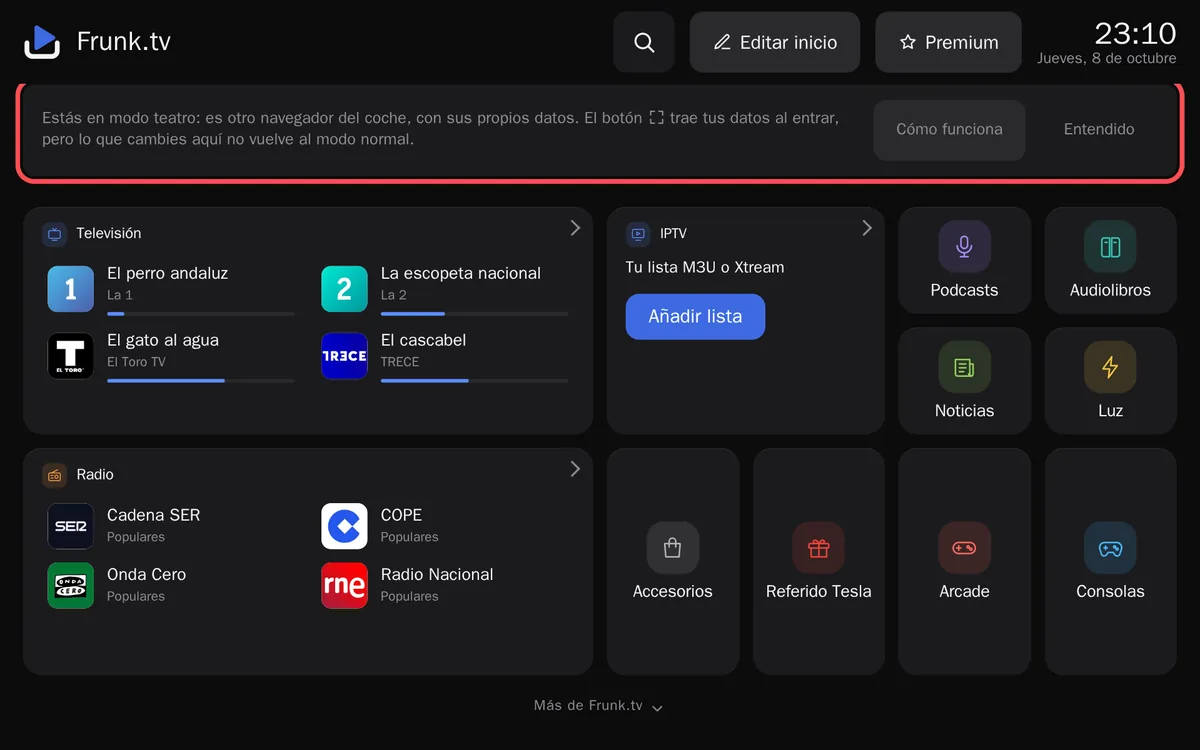
Theater mode: the notice on Home reminds you it is another browser. «How it works» explains it.
Typing frunk.tv/fs in the address bar and carrying on from step 3 also works, but that way your data does not come along (see below). If the browser does not switch by itself, open YouTube first from the car's Theater and do it from there.
Why theater mode may not have your favorites
For the car, theater mode is another browser, with its own storage, as if you opened Frunk.tv for the first time on another device. Without premium, Frunk.tv has no accounts: your things are kept in the browser, so each one has its own copy.
- The button takes to theater mode your IPTV lists (also those uploaded as a file), favorites, followed podcasts, where you are in each episode, Home and its wallpaper, the language, the settings, Arcade records and your Carretera data (your car, the layers, My places and Recent), and merges them with whatever was already there. Also the Consoles games that are missing, if you say yes: up to ten per trip and 60 MB at most each; bigger ones are sent from your phone once in theater mode, and saved games don't travel.
- Movies & Series does not travel: its catalogs, your AllDebrid account and where you were stay in each browser, so in theater mode they have to be added again.
- But only in that direction: what you change in theater mode does not come back to normal mode, and what you delete on one side may come back from the other the next time you press . If you get in by typing the address, nothing comes along.
- With premium, both browsers share your data both ways, except lists uploaded as a file and games, which still travel with the button.
Half screen and full screen don't have this problem: they are the same browser.
Outside the Tesla
On a computer, a tablet or a phone there are no three modes: Frunk.tv opens in your usual browser, with a single storage. What you save there stays in that browser; to take it to the car, use the backup on Home, or premium, which syncs it by itself.
Frequently asked questions
- Does the Tesla browser have full screen?
- Yes, in Park: the car lets you enlarge the browser, though its bar stays in view. While driving it stays at half screen. To hide the bars completely there is theater mode: the car opens youtube.com without bars and stays that way if YouTube redirects to another site. Frunk.tv's ⛶ button takes you there and back that way.
- Can the Tesla browser go full screen while driving?
- No. Out of Park the car keeps the browser at half screen and won't let you enlarge it, and theater mode only opens while parked. Video stops, but radio, podcasts, audiobooks and Carretera keep working: Frunk.tv has a compact layout for half screen.
- Why don't my favorites show in theater mode?
- Because theater mode is another browser in the car, with its own storage. Frunk.tv's ⛶ button takes your lists, favorites and settings along when you go in, but without premium what you change there doesn't come back to normal mode. With premium, both share your data both ways.
- Do I lose anything going from half screen to full screen?
- No. Half screen and full screen are the same browser, with the same data: only the size changes.