IPTV in a Tesla: your own list in the browser
If you already have an IPTV list, Frunk.tv plays it in the Tesla browser: an M3U URL, an Xtream Codes account or an .m3u file sent from your phone. Frunk.tv offers no lists or channels; it plays yours.
Step by step
- Open frunk.tv in the car's browser and tap Add list on the IPTV tile of Home.
- Typing a long URL on the car's keyboard is a pain: tap Send a list from your phone, scan the
QR code and send the URL, the Xtream Codes details or the .m3u file.
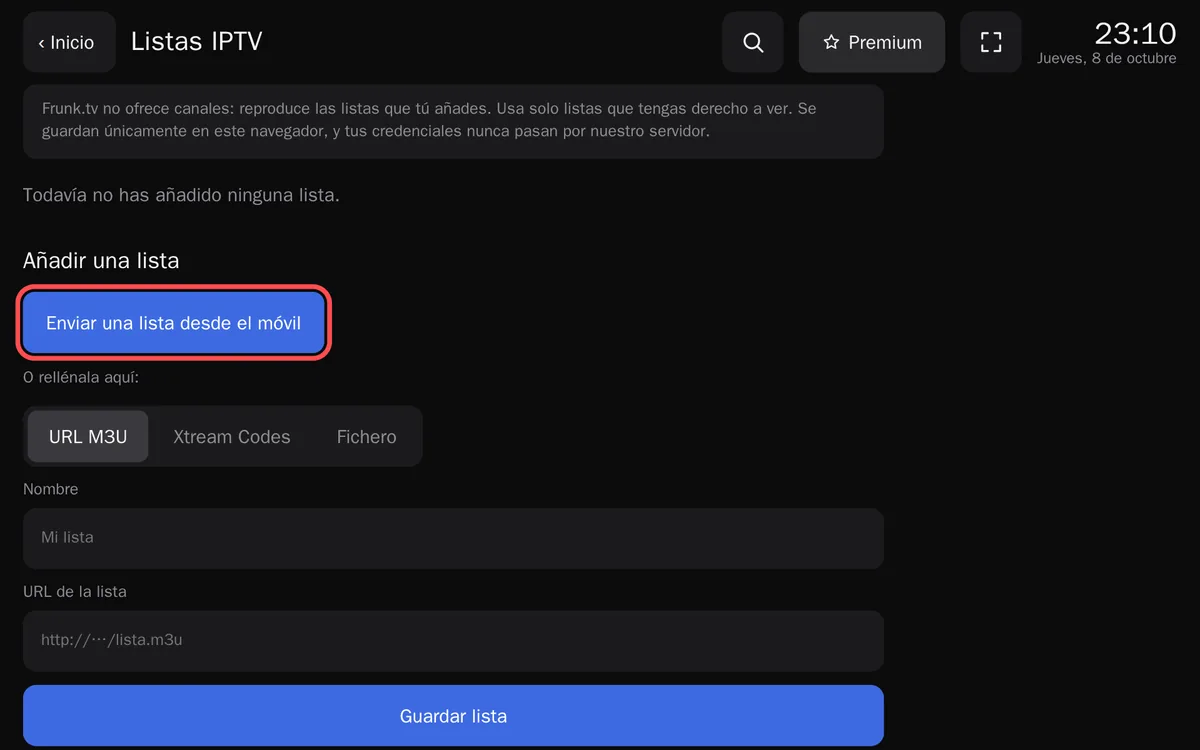
At the top, the reminder: Frunk.tv offers no channels and the list is kept only in this browser. - Or fill it in on the car, below: paste the M3U URL (URL M3U tab), or the server, user name and password (Xtream Codes tab), or choose an .m3u you already have, for example on a USB stick (File tab), and tap Save list.
- Your channels open, sorted by your list's categories. Pick one. The IPTV tile on Home opens the last list you
used straight away, and «Manage lists» adds or removes lists.
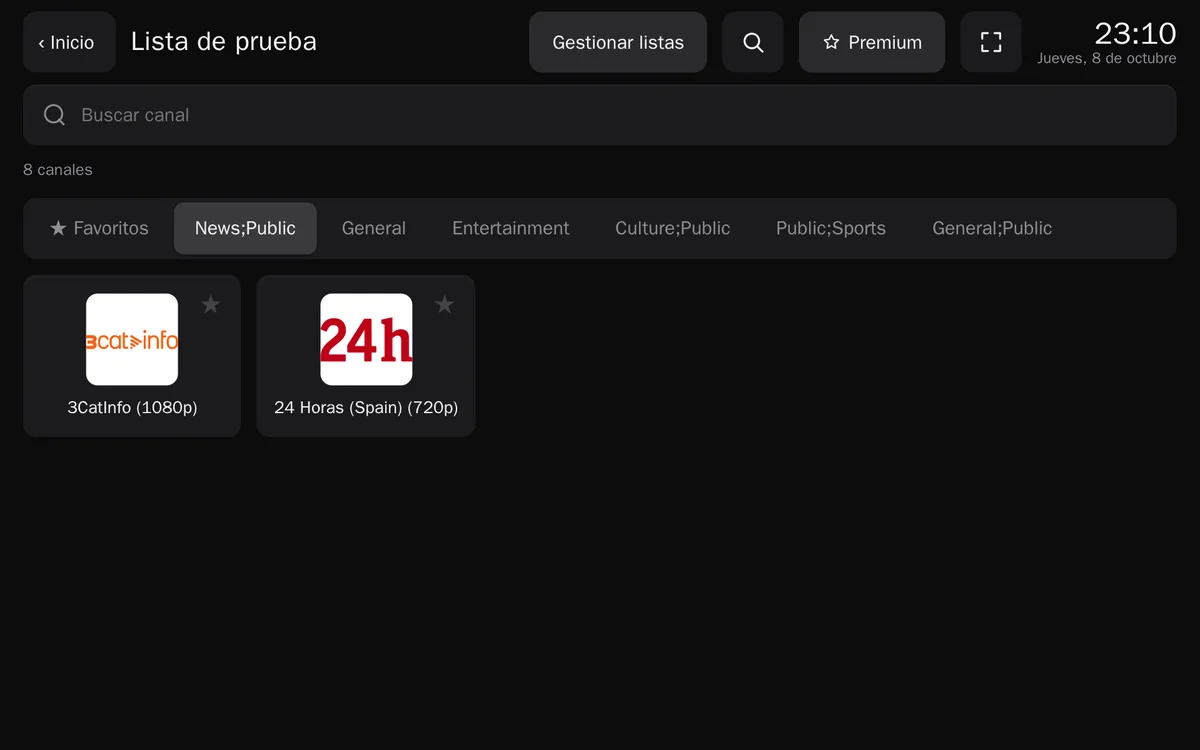
A sample list with public channels: the search box, the categories and the favorites ★ work as in Television.
Your data stays in the car
Everything happens in the browser: the list is downloaded there, Xtream Codes is queried from there and the video goes from the provider to the car. What you send from your phone travels encrypted: Frunk.tv's server cannot read it and deletes it as soon as it reaches the car. Since a car update can wipe the browser, the lists can be copied to your phone with a QR code (of lists uploaded as a file, the name is kept, not the content). With premium the copy is automatic and encrypted, and lists can be edited with a keyboard from your phone or computer.
What works and what doesn't
- http lists: they work, and are added like any other (below).
- CORS: the browser can only read a list or a server that allows it. If your list won't load from its URL, the car shows a QR code: your phone downloads it and sends it as a file, in two taps (step by step, with screenshots). Streams in .m3u8 and .ts also need the provider to allow it; if not, the channel won't play.
- Formats: .m3u8 (HLS), .ts (MPEG-TS), mp4, webm and audio (mp3, aac, ogg…). URLs with no extension, common on IPTV panels, are tried as MPEG-TS and as HLS. Channels in mkv, avi, flv, wmv or DASH are hidden, because the browser cannot play them.
- For the programme guide, Frunk.tv uses your Xtream provider's when it has one.
http lists: added like any other
Many providers give a URL or an Xtream server that starts with http://. Frunk.tv runs on https, and an https page cannot load http video, so those lists play in compatible mode: Frunk.tv's http address, which only keeps your http lists. You don't have to do anything special: Frunk.tv takes you there by itself.
- In IPTV, fill in the list as usual (here, an Xtream Codes account with an http server) and
tap Save list.
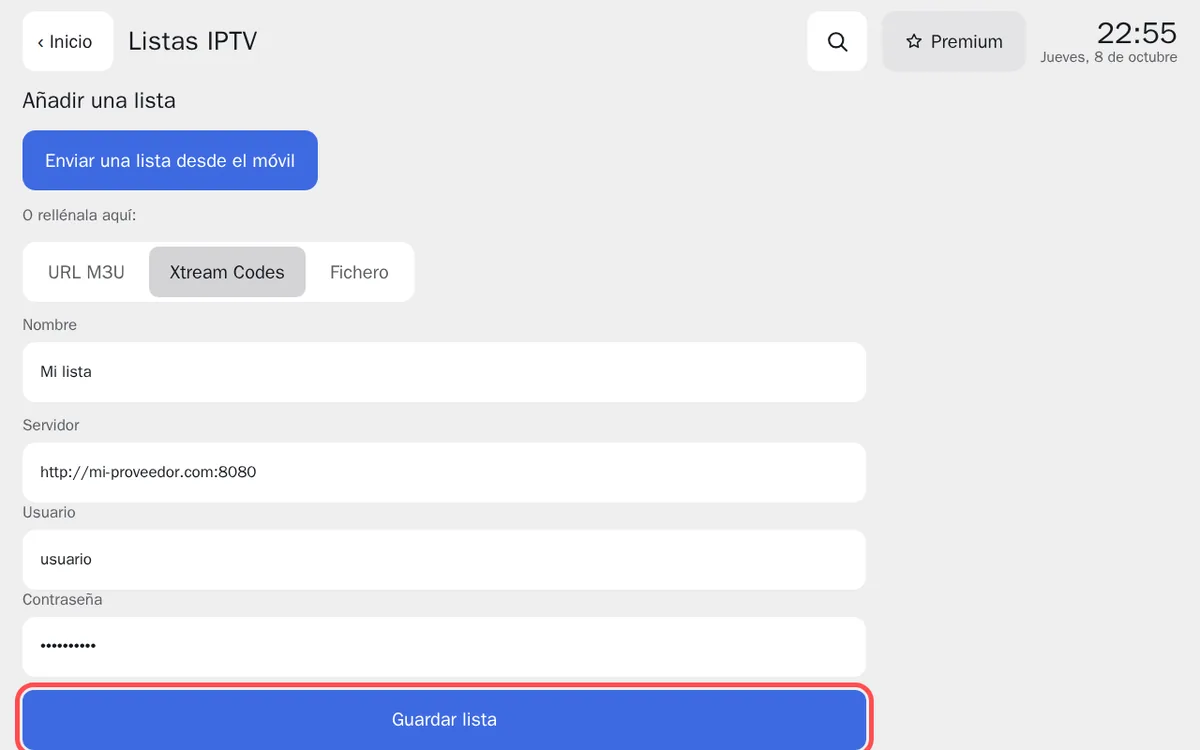
An http server is saved just like an https one. - Frunk.tv opens the list in compatible mode, with your channels. Favorites you mark here go back to Frunk.tv
by themselves.
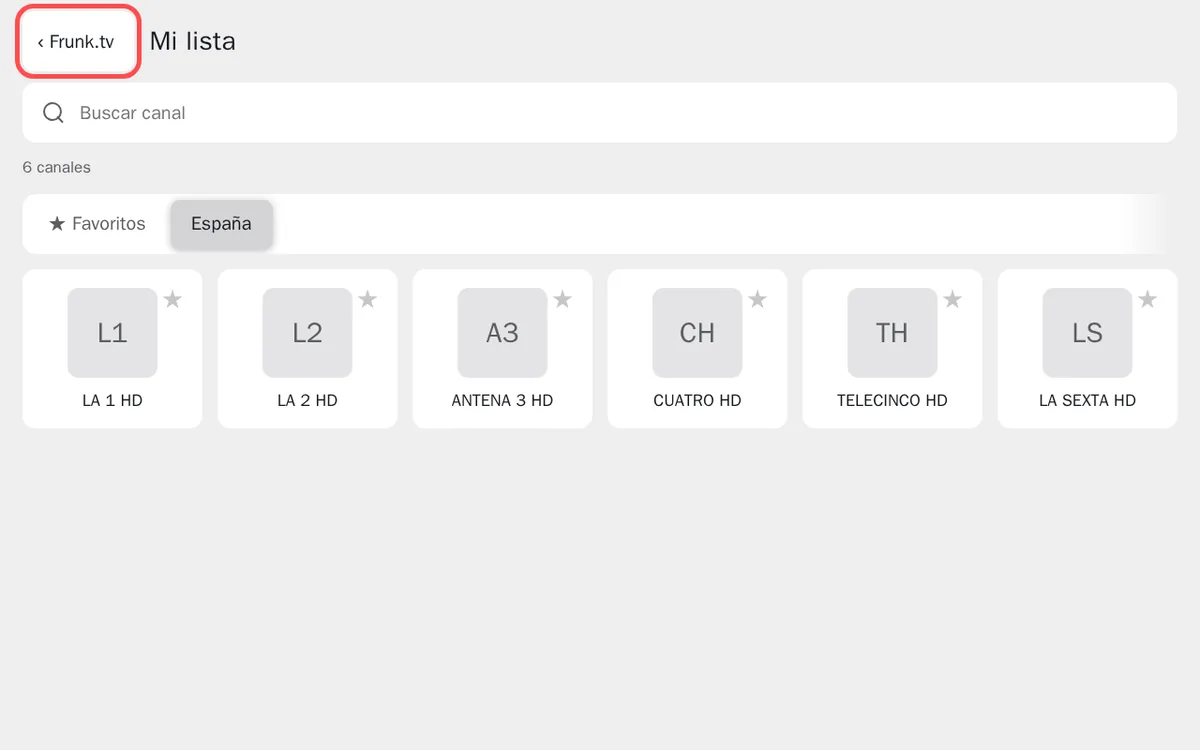
Compatible mode: only your http lists. «‹ Frunk.tv» goes back to the rest of Frunk.tv. - With ‹ Frunk.tv you go back to your lists. To watch the list again, tap it, or tap the
IPTV tile on Home: it takes you back to compatible mode.
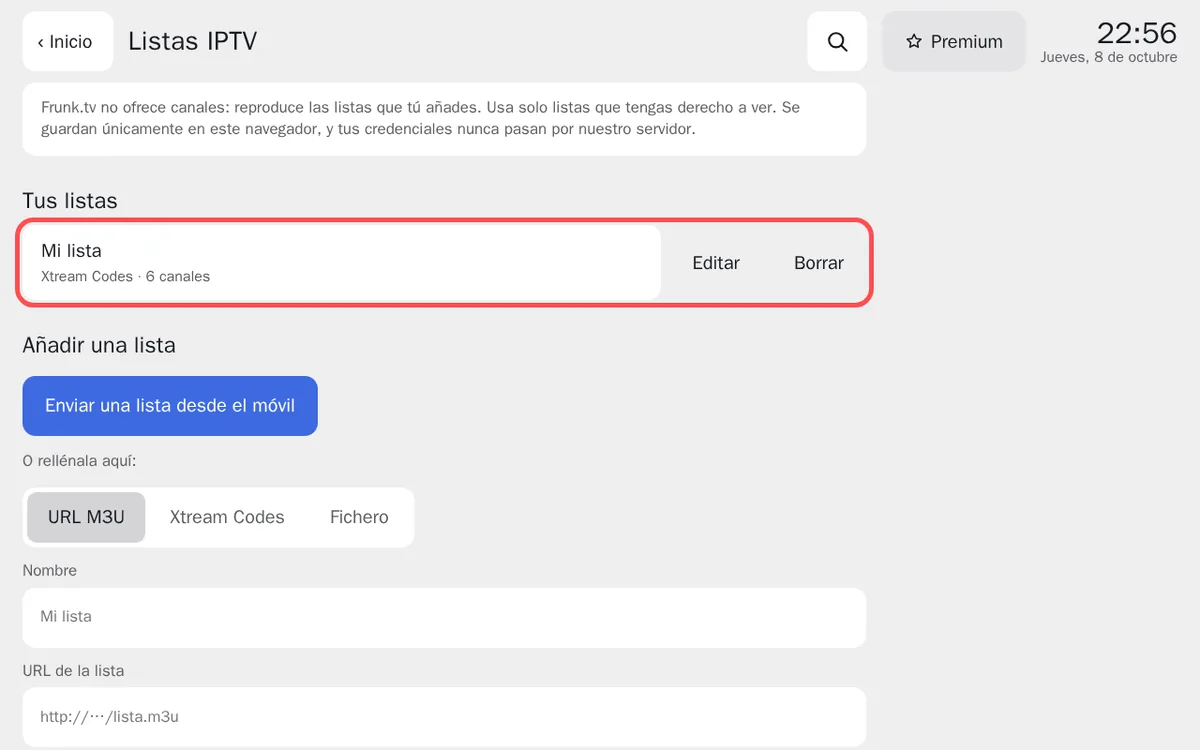
The list is saved with the others, with its channels.
If a detail is wrong (the user name, the password or the server), the error shows in compatible mode: go back with ‹ Frunk.tv and fix it with Edit.
Video, as with television, plays with the car in Park.
Frequently asked questions
- Does Frunk.tv include IPTV channels?
- No. Frunk.tv does not sell IPTV lists and has no relation whatsoever with any provider or with anyone's list: it plays the one you add, which is kept privately in the car's browser, like the rest of your data. You are responsible for the list you use and for having the right to watch what it contains.
- Why won't my list load?
- The browser can only read a list or an Xtream server that allows it (CORS headers). If it doesn't, the car shows a QR code and your phone downloads the list and sends it as a file. Streams in .m3u8, .ts, mp4, webm and audio work; mkv, avi, flv, wmv and DASH don't.
- Do http lists work?
- Yes, and they are added like any other. Frunk.tv runs on https, and an https page cannot load http video, so when you open them Frunk.tv takes you to compatible mode by itself: its http address, which only keeps your http lists.